> For the complete documentation index, see [llms.txt](https://templatescoder.gitbook.io/labacha-shopify-theme-documentation/llms.txt). Markdown versions of documentation pages are available by appending `.md` to page URLs; this page is available as [Markdown](https://templatescoder.gitbook.io/labacha-shopify-theme-documentation/theme-settings/multiple-layouts.md).
# Multiple Layouts
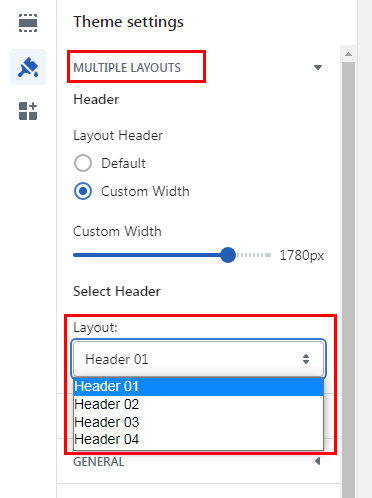
**Multiple Layouts** allows you to create different structures and satisfies any specific styles for different kinds of business.
{% hint style="success" %}
**Steps:**
1. From your Shopify admin, go to **Online Store -> Themes.**
2. Find the theme that you want to edit, and then click **Customize.**
3. Click **Theme Settings -> Multiple Layouts.**
{% endhint %}
#### **1. Select For Header**
To set up the same data for Theme Settings, please follow below instruction:
1. From your Shopify admin, go to **Online Store -> Themes**.
2. Find the theme that you want to edit, and then click **Customize**.
3. Click **Theme Settings -> Multiple Layouts.**
| Setting | Description |
| ------------ | --------------------------------------------------------------------------- |
| Default | Set the width of the Header to its default size based on the viewport |
| Custom Width | Manually set the width of the Header in the range between 1200px and 1920px |
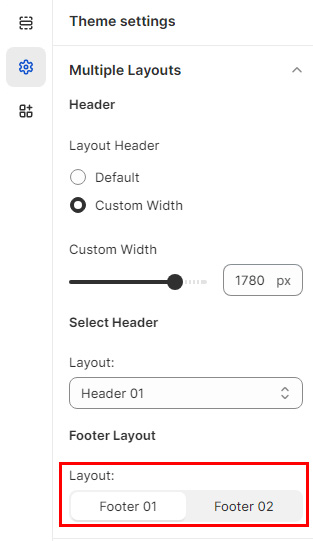
#### 2. Select For Footer
To set up the same data for Theme Settings, please follow below instruction:
1. From your Shopify admin, go to **Online Store -> Themes**.
2. Find the theme that you want to edit, and then click **Customize**.
3. Click **Footer** and Customize Footer Setting.
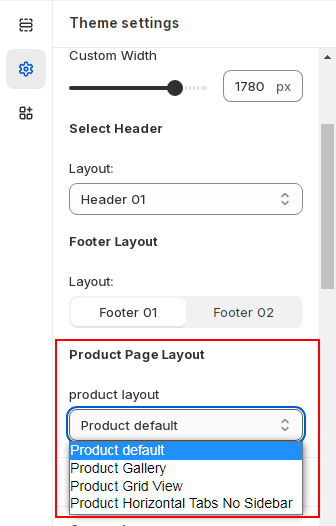
#### **3. Select For Product Page Layout**
To set up the same data for Theme Settings, please follow below instruction:
1. From your Shopify admin, go to **Online Store -> Themes**.
2. Find the theme that you want to edit, and then click **Customize**.
3. Click **Product Page Layout** and Customize **Product Page Layout** Setting