> For the complete documentation index, see [llms.txt](https://templatescoder.gitbook.io/labacha-shopify-theme-documentation/llms.txt). Markdown versions of documentation pages are available by appending `.md` to page URLs; this page is available as [Markdown](https://templatescoder.gitbook.io/labacha-shopify-theme-documentation/other/search-page.md).

# Search Page

**Search page** is a page where customers can search for specific products or pages. It helps them find the products, brands, features, and contents that they care about.

{% hint style="success" %}
**Steps:**

1. From your Shopify admin, go to **Online Store** **->** **Themes**.
2. Find the theme that you want to edit, and then click **Customize**.
3. Choose **Others** from the dropdown window **->** Choose **Search.**
   {% endhint %}

<figure><img src="https://3628331143-files.gitbook.io/~/files/v0/b/gitbook-x-prod.appspot.com/o/spaces%2F99MlOzvyJDAhsvR2FLtv%2Fuploads%2FUpyHk87EZsP5Z2OHRkOZ%2F77.jpg?alt=media&amp;token=e34452b0-027b-4aee-a870-a572344d3f04" alt=""><figcaption></figcaption></figure>

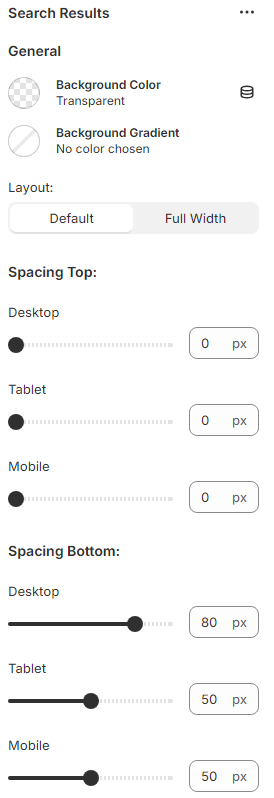
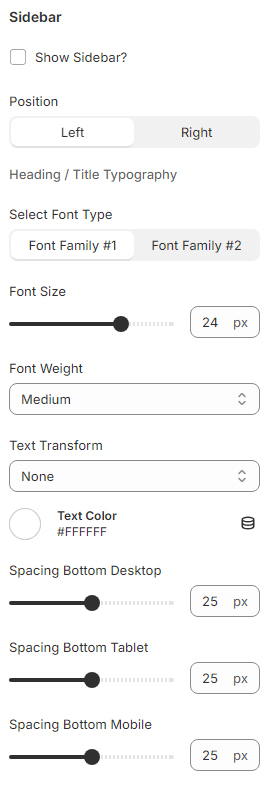
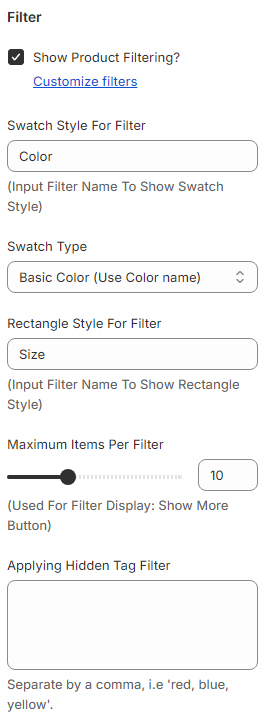
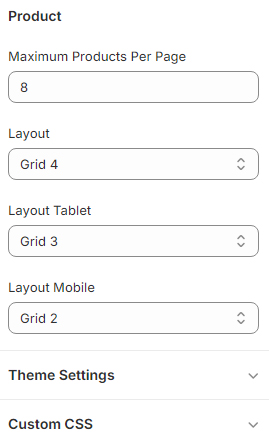
### Search Settings

<figure><img src="https://content.gitbook.com/content/99MlOzvyJDAhsvR2FLtv/blobs/S5yEQN5uqecOdyxuFmjw/Untitled-1.jpg" alt=""><figcaption></figcaption></figure>

<figure><img src="https://content.gitbook.com/content/99MlOzvyJDAhsvR2FLtv/blobs/QD8eFJrp6PxMzckFbmJv/Untitled-2.jpg" alt=""><figcaption></figcaption></figure>

<figure><img src="https://content.gitbook.com/content/99MlOzvyJDAhsvR2FLtv/blobs/WAIORWQCDK9FVNGXrR0F/Untitled-3.jpg" alt=""><figcaption></figcaption></figure>

<figure><img src="https://content.gitbook.com/content/99MlOzvyJDAhsvR2FLtv/blobs/BOlePjgnpyTjathCJZM2/Untitled-4.jpg" alt=""><figcaption></figcaption></figure>